
Helpdesk Triage for SharePoint desks
SD-2231 sat in intake for six days. One suggestion and one sign-off moved it.
Helpdesk Triage is a SharePoint package for tickets no team claims. Nothing is written to the ticket until the operator signs off.
In preview – a few desks at a time, each with a founder
Marta, Hugo and Ade
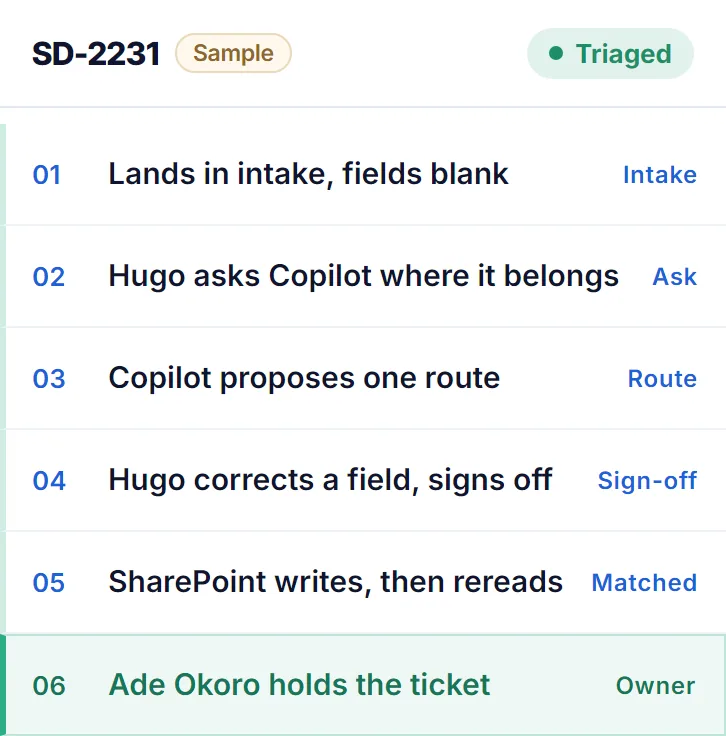
Follow SD-2231 from intake to its owner.
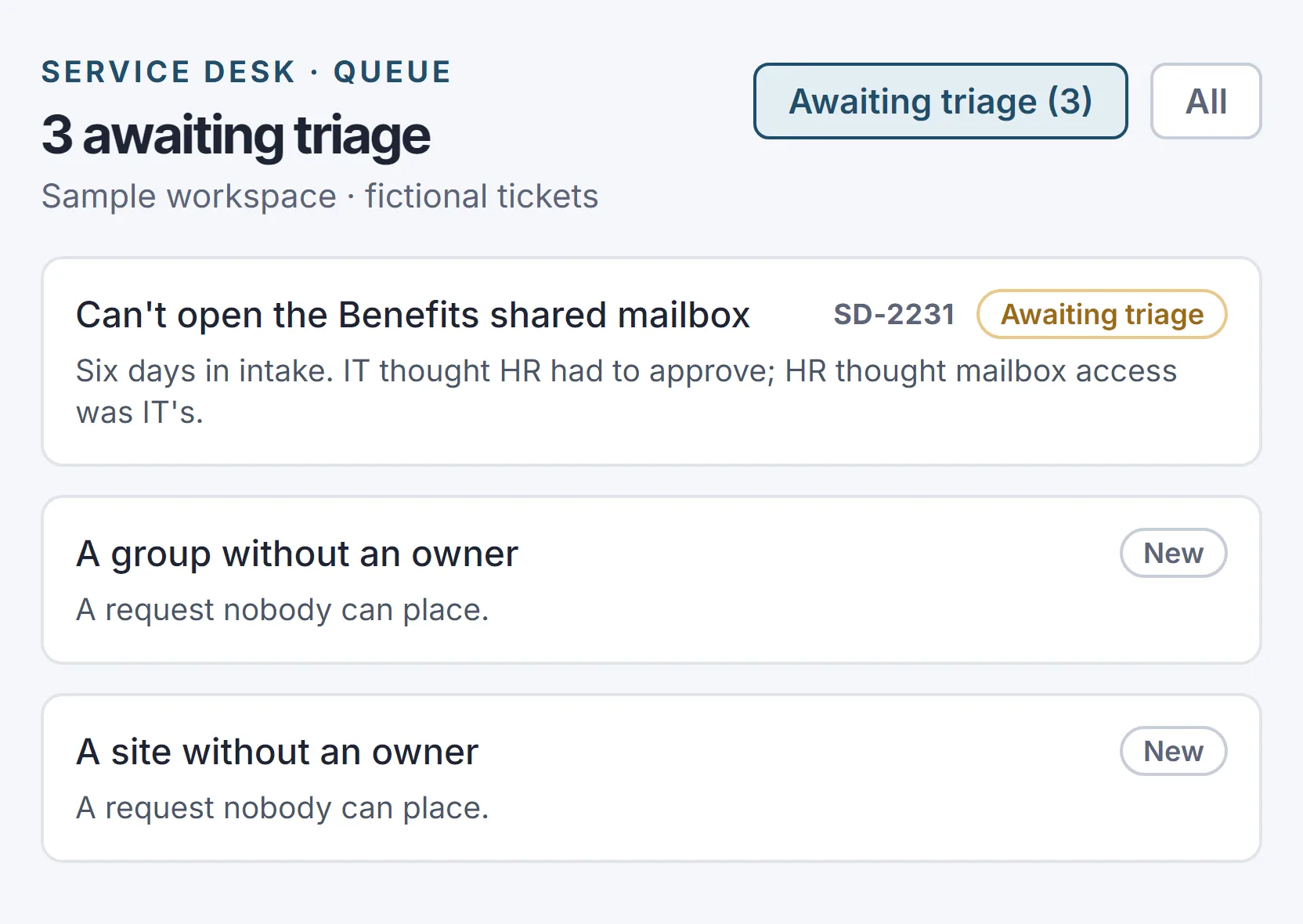
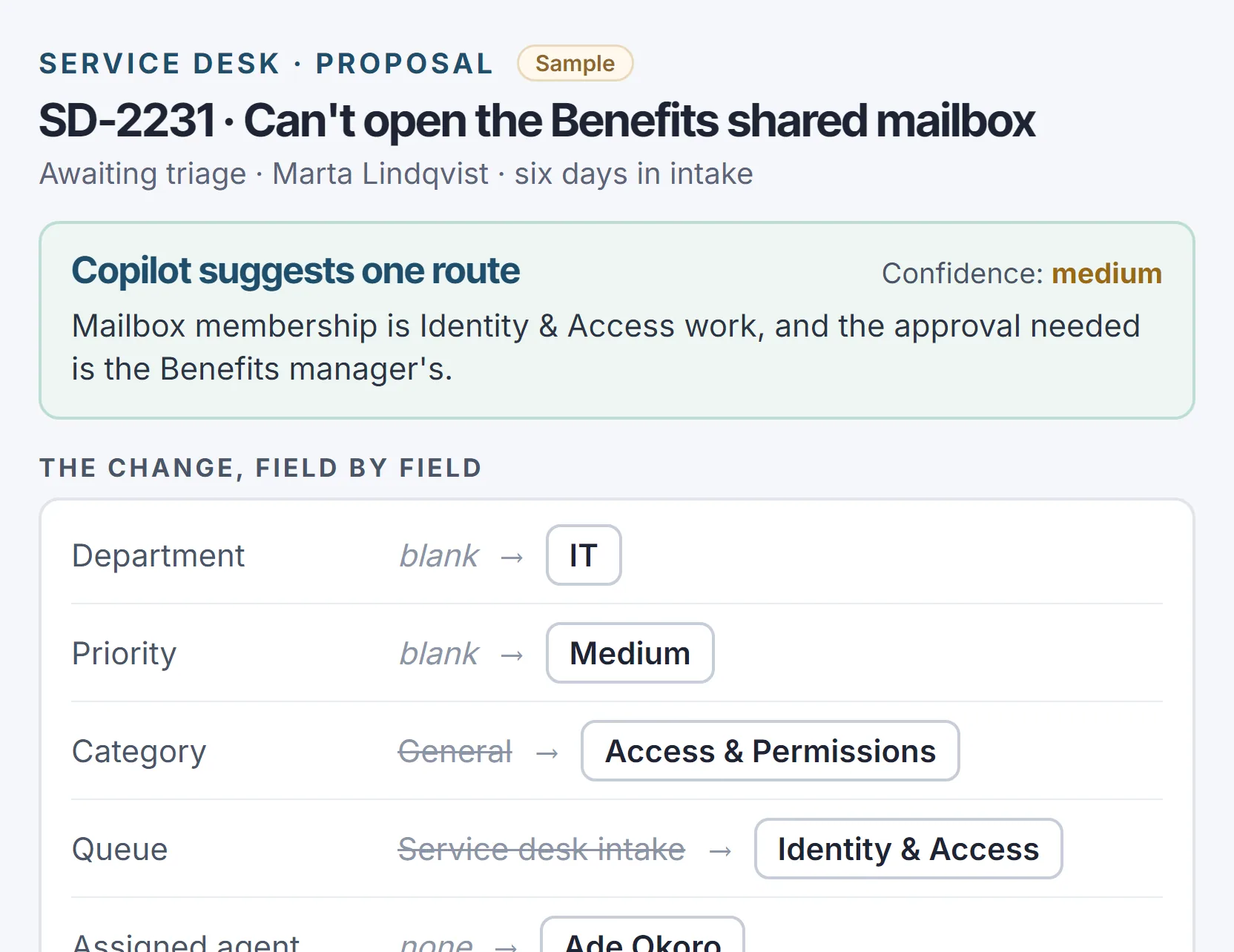
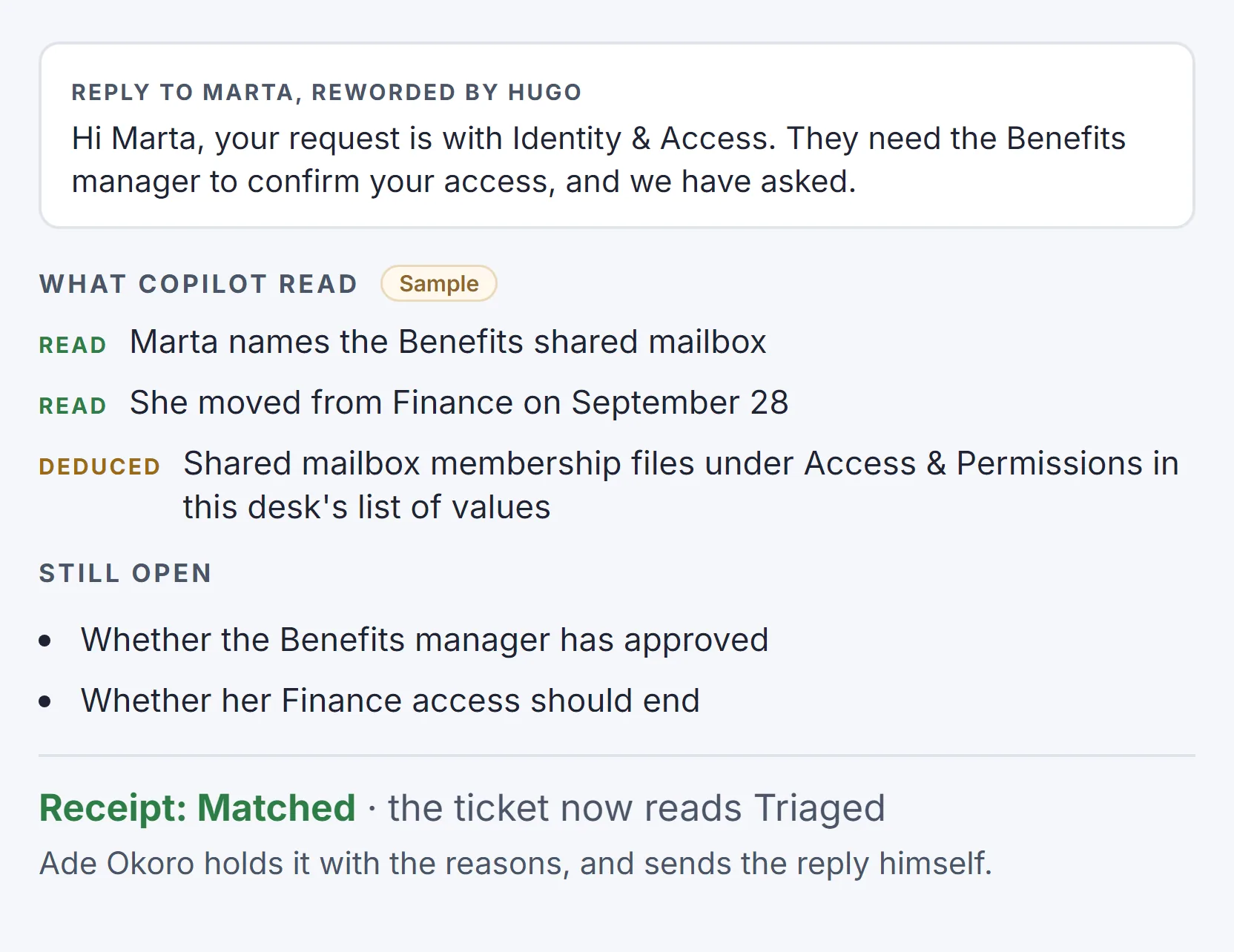
Marta Lindqvist can't open the Benefits shared mailbox since moving from Finance. Her ticket waited six days, Department and Priority blank, because IT thought HR had to approve and HR thought mailbox access was IT's. From the card, Hugo Bell asks Copilot where it belongs. The suggestion comes back at medium confidence, with what it read in the ticket, what it deduced, and two questions still open. Hugo rewords the reply and signs off; Ade Okoro in Identity & Access picks it up and sends the reply himself.
Sample workspace: a fictional desk, ticket and people.
Who gains what
Read the thread once. The ticket finds its owner, and the row shows why.
Built for desks that keep tickets in SharePoint, and for the requests nobody can place: a mailbox, a group, a site without an owner.
Operator
one card instead of a thread to reread: the route, the reasons, any field to fix, one sign-off.
Desk lead
SD-2231 lands as a row in Celest Triage Runs: what Copilot suggested, what Hugo changed, who signed off, the receipt.
Tenant admin
a single package to approve in the app catalog and three lists that setup makes; Celest runs nothing and never sees a ticket.
Where it runs
The ticket stays in SharePoint the whole way.
It works on tickets that live in SharePoint lists and nowhere else: a desk running Jira Service Management or Freshservice is not one Helpdesk Triage can serve. Setup adds three lists your desk owns, Celest Triage Runs among them, and every suggestion, sign-off and reread lands there.
- SharePoint
SharePoint keeps everything
every ticket, suggestion, sign-off and past change stays in SharePoint lists your desk owns, opened from the toolbar, a page or Copilot.
- Copilot
Copilot suggests
the code runs under Hugo's own sign-in, with his SharePoint rights; Celest has no server, key or database, so no ticket reaches us. How we handle data
- Sign-off
Sign-off becomes a receipt
SharePoint writes only if nobody touched the ticket since the suggestion, then rereads the row and records Matched or Changed first.
Set once
Copilot routes in your desk's own words.
You list the values once: queues, agents, departments, categories, priorities. Copilot can only choose among them, and anything off the list is rejected with its name shown.
- Destination
- Queue · Assigned agent · Department
- Filing
- Category · Priority
- Wording
- Note for the next owner · Reply to the requester
- Sign-off
- Approver · SharePoint's reread · Current owner
The preview
Run end to end on our own test queue. Your desk starts with a founder.
A founder sets up your owners, then you route one ticket together. Freshservice sells its AI copilot at $29 per agent a month.
$0 per tenant during the preview: nothing to subscribe to, no trial clock, nothing renews and nothing is billed. Copilot's suggestions need Microsoft 365 Copilot, $30 a user a month, in your tenant; routing by hand works without it. Questions: [email protected].
- Run on
- our own tenant, fictional tickets, a Matched receipt
- Runs under
- each operator's own SharePoint sign-in
- Not in it
- Teams sign-off, mail, opening or closing tickets
- What to bring
- your messiest queue and its oldest ticket
- Later fees
- only under new terms your organization accepts first
- Not charged
- installing, removing, or the founder's walk-through